
One live Markdown source for writers, reviewers, and publishers
Co-edit the working draft, discuss exact passages in comments, and publish the approved source.
One technical draft for coauthors and reviewers, with feedback attached to the source.
Document collaboration
Bring coauthors into the same working draft
Keep the working document restricted to invited collaborators. Give coauthors write access and reviewers read access, then use a separate public link for the reader-facing copy.
- Read access for reviewers and write access for coauthors
- Restricted or signed-in link access to the working document
- Browser and desktop access
Comments in context
Keep the conversation attached to the passage
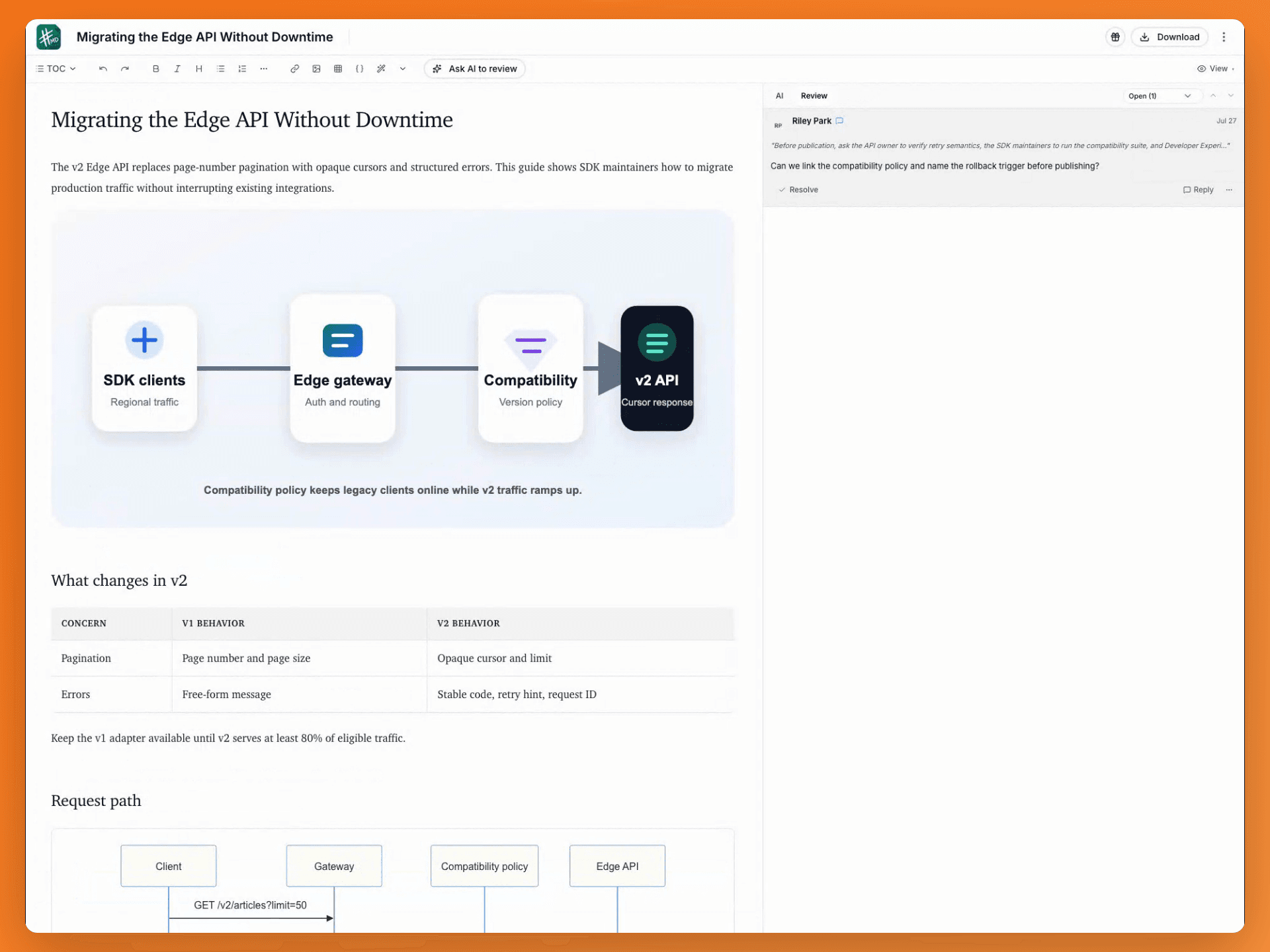
Highlight the exact claim, ask a question, and reply beside the source. Writers and subject-matter experts can work through the decision without copying passages into another chat.
- Passage-level comments and highlights
- Threaded replies from writers and reviewers
- Resolve the thread when the decision is made
Focused review
Assign it, resolve it, done.
Attach comments, suggestions, and highlights to a passage, assign the thread, reply in context, and resolve it when the decision is made.
- Comments, suggestions, and highlights
- Assignments, replies, and resolution
- Read and write permissions
Controlled AI editing
Let AI propose the edit. Keep the decision.
Ask AI to clarify a technical passage, inspect the proposed change beside the source, and apply it when it is ready for the team to review.
- Selection-aware rewriting
- Visible edits and approval points
- Explicit Apply action before the source changes
Reliable handoffs
Know who can act and what can be recovered
Use explicit permissions for the live document and automatic history when a handoff or edit needs to be revisited.
- Restricted or link-based access
- Automatic snapshots
- Compare and restore earlier versions
Publish once
Send the reviewed source to every destination
Connect destinations once, then publish the same approved Markdown to documentation repositories and developer channels.
- GitHub, WordPress, Ghost, DEV, Hashnode, and X Articles
- Webhooks, hosted links, Gists, S3, and exports
- Destination setup stays separate from review
Technical content team questions, answered
It is built for documentation and developer-content teams responsible for technical Markdown: docs, guides, changelogs, and developer blogs.
Yes. Permissions separate read and write access, while focused review threads keep the decision attached to the relevant passage.
Standard. It adds collaboration, comments, review workflows, unlimited sync, and your own AI key. Paid plans are billed when you subscribe, and you can cancel anytime.
Standardizing the team on one editor? See how mdedit.ai compares to Typora, StackEdit, and Obsidian.
Last updated
Move the next guide through review in one place
Get Standard for collaboration, comments, BYOK or local AI, and unlimited sync.