
Online Markdown Viewer & Live Preview
Paste Markdown below. It renders instantly, right here.
Nothing leaves this page. No sign-up, no upload.
Open the editor.md URLs and local files automatically in Chrome, Firefox, Edge, and VS Code.By Vivek Maskara · Last updated
More formats, ready to copy
Copy a GFM, code, Mermaid, Graphviz, or Markmap snippet and paste it into the viewer above.
Preview
Rendered output.| Markdown viewer feature | Support | Notes |
|---|---|---|
| GitHub Flavored Markdown (GFM) | Yes | Tables, task lists, fenced code blocks |
| Syntax highlighting | Yes | Clean, readable code blocks |
| Mermaid diagrams | Yes | Flowcharts, sequence diagrams, and more |
| Graphviz / DOT | Yes | Great for dependency graphs |
| Markmap mind maps | Yes | Turn lists into interactive maps |
| Browser extension (Chrome + Firefox + Edge) | Yes | Renders web *.md URLs + local file:// Markdown |
Rich Markdown rendering, built in
Preview the content formats technical teams rely on, without installing anything.
Code blocks + syntax highlighting
Render fenced code blocks with clean typography for readable docs and READMEs.
GFM tables + task lists
GitHub Flavored Markdown support for tables, checklists, and common README patterns.
Links + images
Preview images and links the way your readers will see them when published.
Mermaid diagrams
Flowcharts, sequence diagrams, ER diagrams, and more, rendered directly in preview.
Graphviz / DOT
Render complex graphs and dependency diagrams from DOT code blocks.
Markmap mind maps
Turn Markdown lists into interactive mind maps for planning and knowledge organization.
RTL + LTR text
Render Arabic, Hebrew, English, and mixed-direction blocks while code remains left to right.
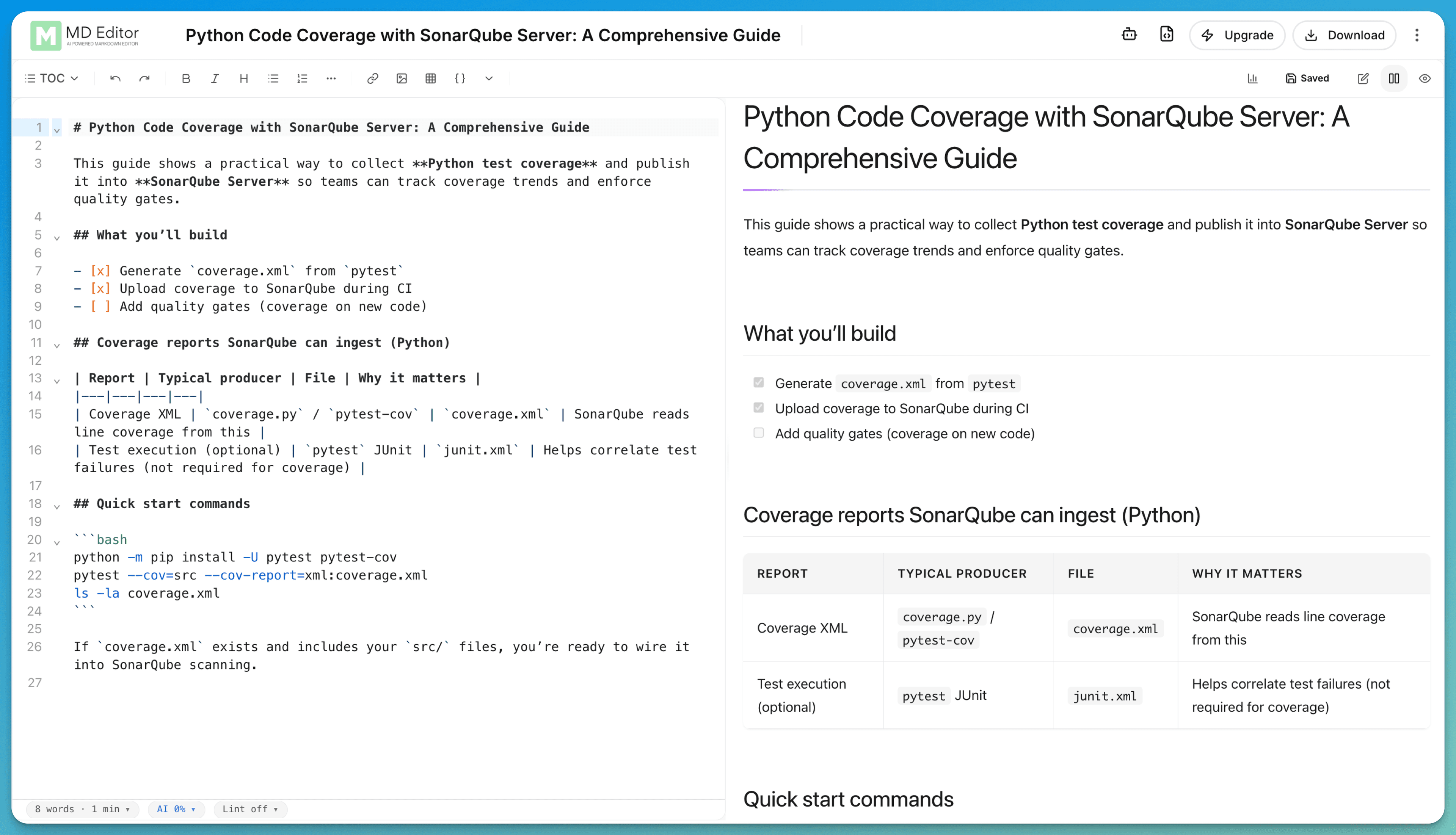
The same rendering, in the editor
Open a local .md file in the editor without logging in. Drafts autosave to this browser until you pick an account workflow.
New to Markdown files?
Learn what Markdown is, how .md files work, and which basic syntax produces headings, links, lists, and code.
Viewing .md files in your browser or VS Code?
Use the online viewer for writing and live preview. Install an extension when you want Markdown rendering built into your everyday tools.
Install the browser extension
Best for reading README.md and .md files directly in your browser with a clean reading mode (Chrome, Firefox, Edge).
- Renders
https://URLs ending in.md - Works for local files (
file://) too - GFM, themes, and automatic RTL/LTR reading direction
Install the VS Code extension
Best for writing Markdown in VS Code with mdedit.ai features available right where you edit.
- Live preview next to the file you are editing
- Opens any
.mdfile in your workspace - Same GFM, diagrams, and mixed RTL/LTR rendering as the web viewer
Markdown viewer FAQs
Both. The viewer at the top of this page edits and renders Markdown with no login. For longer docs, open the editor (still no login) or create a free account to keep your work across devices.
The preview supports GitHub Flavored Markdown (GFM) including tables, task lists, and fenced code blocks. It also supports diagrams like Mermaid, Graphviz/DOT, and Markmap. See Markdown features or the diagrams guide.
Yes. Use the online preview for pasted or written Markdown. For automatic rendering of raw .md URLs and local file:// Markdown, install the browser extension. For previews inside your editor, use the VS Code extension.
Yes. The live viewer automatically lets each section follow the language it starts with, while code stays left to right. For an explicit Auto, Left to right, or Right to left setting, open the full mdedit.ai editor or use one of the extensions. See the RTL and bidirectional Markdown guide.
No install is required for the online live preview. If you want Markdown to render automatically in your browser for .md web URLs and local files, install the browser extension.
Yes. The editor is free to use and the browser extension is free to install. If you need advanced workflows (AI, exports, publishing), see pricing.
Weighing this against another tool? See how mdedit.ai compares to other Markdown editors.
Write and preview Markdown in one place
Use the editor for instant live preview, then add an account when you want AI writing, exports, and publishing workflows.