
Markdown Viewer Browser Extension
Render .md files in Chrome, Firefox, or Edge with a clean reading experience. Great for web URLs that end in .md and for local files opened with file://, including Arabic, Hebrew, and mixed right-to-left/left-to-right documents.
 Install browser extension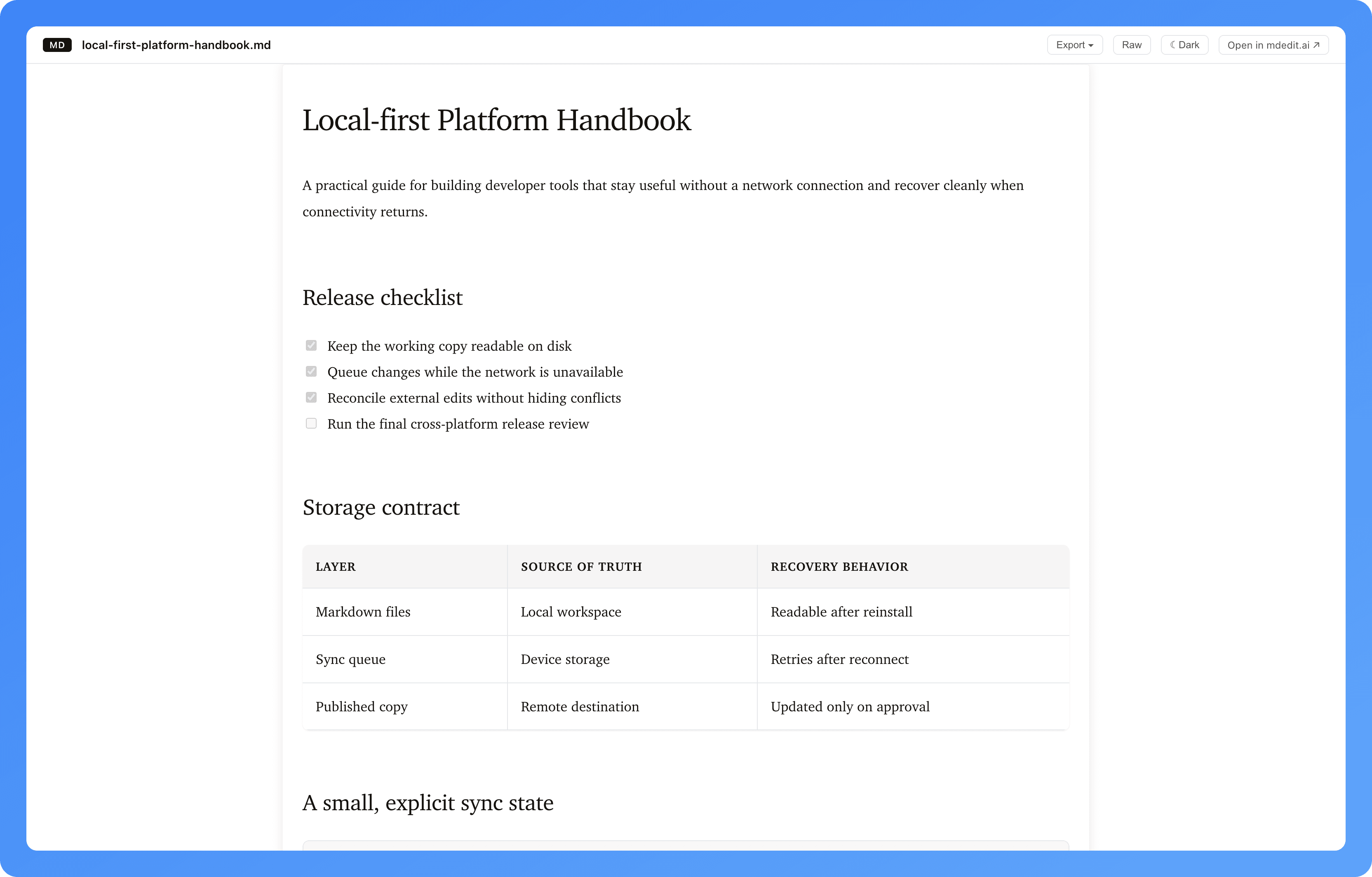
557people use it to read Markdown in Chrome, Edge, and Firefox.


A reading mode that adapts to you
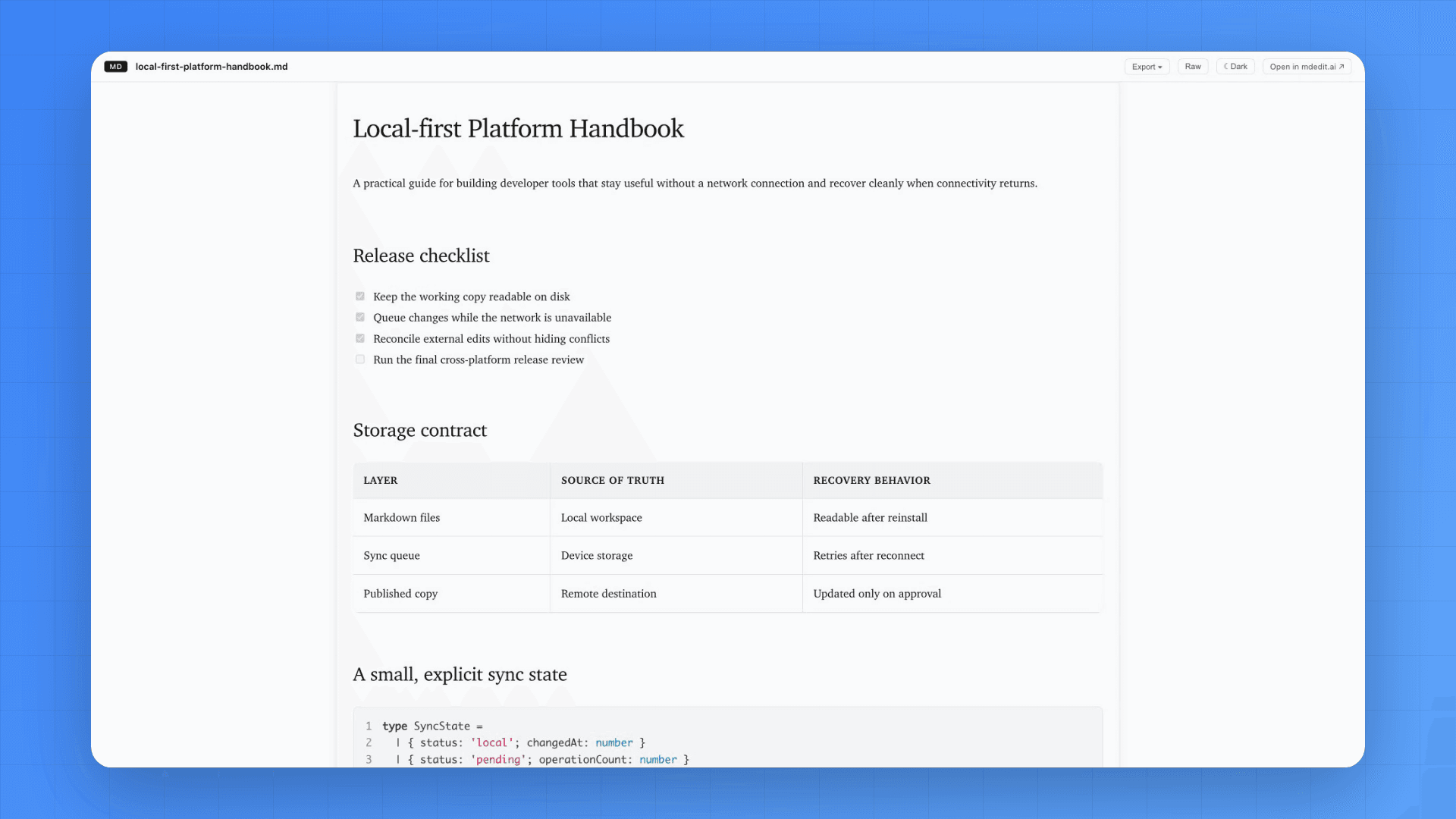
Switch between comfortable light and dark themes while the same Markdown document stays fully rendered.
A fast Markdown reader for your browser
Automatically render .md pages on the web and on your computer with GitHub-style formatting.
Renders web .md URLs
Any http(s) URL ending in .md is rendered automatically in a clean reading mode.
Local file support (file://)
Open .md and README.md files from your computer and view them beautifully in your browser.
GFM + syntax highlighting
Tables, task lists, and readable code blocks with syntax highlighting.
Light & dark themes
Switch between themes for comfortable reading.
Offline-friendly
Once installed, rendering works without needing an internet connection.
Reading controls
Adjust font size, content width, and code theme to match your preferences.
RTL + LTR layouts
Follow the document’s writing direction or detect it automatically while code and URLs stay readable left to right.
Get started
Use it for .md URLs on the web right after install. To render local files, allow file:// access in your browser.
Render a web .md URL
Open any web URL that ends in .md and the extension will render it automatically.
Enable local file rendering (file://)
Chrome/Edge: enable Allow access to file URLs. Firefox: use Automatic Preview or click Preview This Tab from the popup.
Install the extension
Add it from the Chrome Web Store, Firefox Add-ons, or Edge Add-ons.
Allow file URLs
Chrome/Edge: enable file URL access. Firefox: enable Automatic Preview (or use Preview This Tab).
Open a .md file
Open any local .md or README.md file in your browser and it will render.
Try example Markdown
Copy a snippet and see how it renders. Use it in the online viewer or save it as a .md file and open it in your browser.
Preview
Rendered output.| You open in your browser | Rendered? | Notes |
|---|---|---|
| https://example.com/README.md | Yes | Auto-rendered (URL ends in .md) |
| https://example.com/docs/guide.md | Yes | Auto-rendered (URL ends in .md) |
| file:///Users/me/notes.md | Yes | Enable “Allow access to file URLs” |
| https://example.com/page.html | No | Use the online viewer instead |
What it is (and isn’t)
The extension is built for reading and rendering Markdown quickly. Need a full writing workflow with live preview, AI assistance, exports, and publishing? Use mdedit.ai.
Great for
Rendering https://.../*.md pages, opening local .md files in your browser, reading READMEs, and viewing Markdown links with consistent formatting.
Use mdedit.ai for
Editing with live preview, organizing docs, AI rewrites with diffs, and exporting to HTML/PDF/DocX.
Browser extension FAQs
Yes. Any web URL that ends with .md (http/https) will be rendered in a clean reading mode. For an online live preview, try the Markdown viewer.
Chrome/Edge: open the extension details and enable “Allow access to file URLs”, then open any local .md or README.md file. Firefox: turn on “Automatic Preview” and if auto-preview doesn’t trigger for file://, open the popup and click “Preview This Tab”. See the setup guide.
Yes. It supports GitHub-style Markdown including tables, task lists, and fenced code blocks with syntax highlighting. For an online live preview, try the Markdown viewer.
Yes. The extension can render Markdown without an internet connection once installed.
Yes. Choose Document, Auto, Left to right, or Right to left in the popup. Document follows the Markdown file’s direction setting, while Auto lets each section follow the language it starts with. Code remains left to right. See the RTL guide.
It’s designed as a fast viewer/reader. If you want editing, live preview while writing, AI assistance, exports, and publishing, use mdedit.ai scratchpad or create a free account.
See the extension docs for install steps, enabling file access, and common fixes.
Last updated
Preview in your browser. Write in mdedit.ai.
Install the viewer for fast reading, then move into mdedit.ai for editing, AI assistance, and publishing workflows.