Primary model
- mdedit.ai
- Browser plus desktop. The workspace runs in a browser, and the desktop app works with local Markdown folders.
- Typora
- Downloaded desktop app. A downloaded editor for macOS, Windows, and Linux.
Browser workspace or focused desktop app?
Typora is the stronger editor for writing alone on your own machine, and mdedit.ai is the stronger choice once a document has to be shared, reviewed, or published.
By Vivek Maskara · Last updated
Choose mdedit.ai when
Your document moves through writers and reviewers, or you want to begin in a browser and continue in a local desktop workspace.
Try mdedit.ai without sign-upChoose Typora when
You write mostly alone, want source markers to disappear into a live preview, and prefer a focused desktop application.
Visit TyporaRuns in the browser
mdedit.ai
Yes, no sign-up needed
Typora
No browser editor documented
Desktop app
mdedit.ai
Yes, opens local folders
Typora
Yes, macOS, Windows, Linux
Co-editing and comments
mdedit.ai
Yes, with permissions
Typora
Not documented
AI in the editor
mdedit.ai
Included, or your own keys
Typora
Not documented
Export
mdedit.ai
Server-side Pandoc, from the browser
Typora
Built into the desktop app
Price
mdedit.ai
Free tier, paid from US$6.99 a month
Typora
US$14.99 one-time
Platforms
mdedit.ai
Typora
What each editor looks like with a document open. Every frame is cropped to the same shape, so the difference you see is the interface, not the picture.
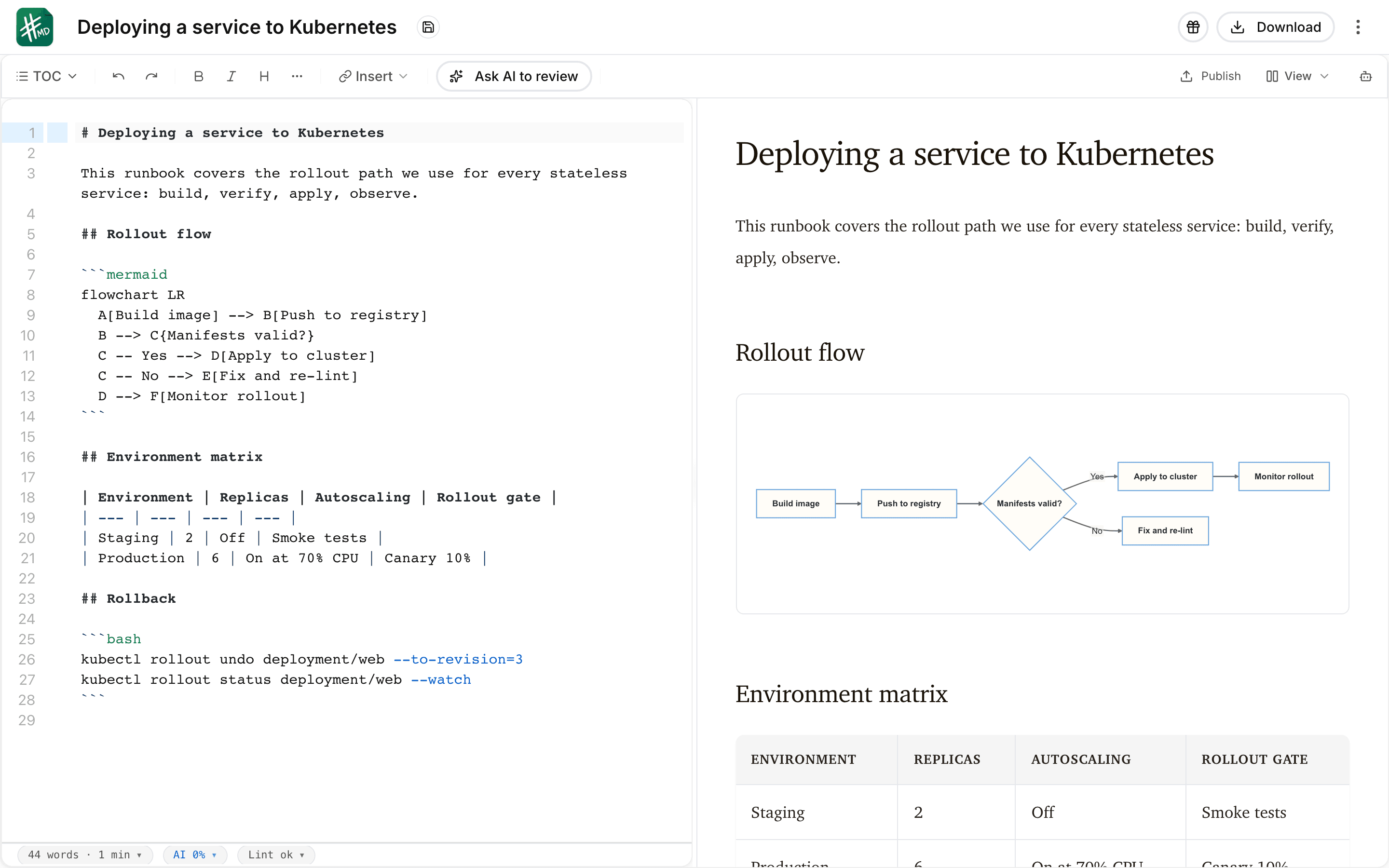
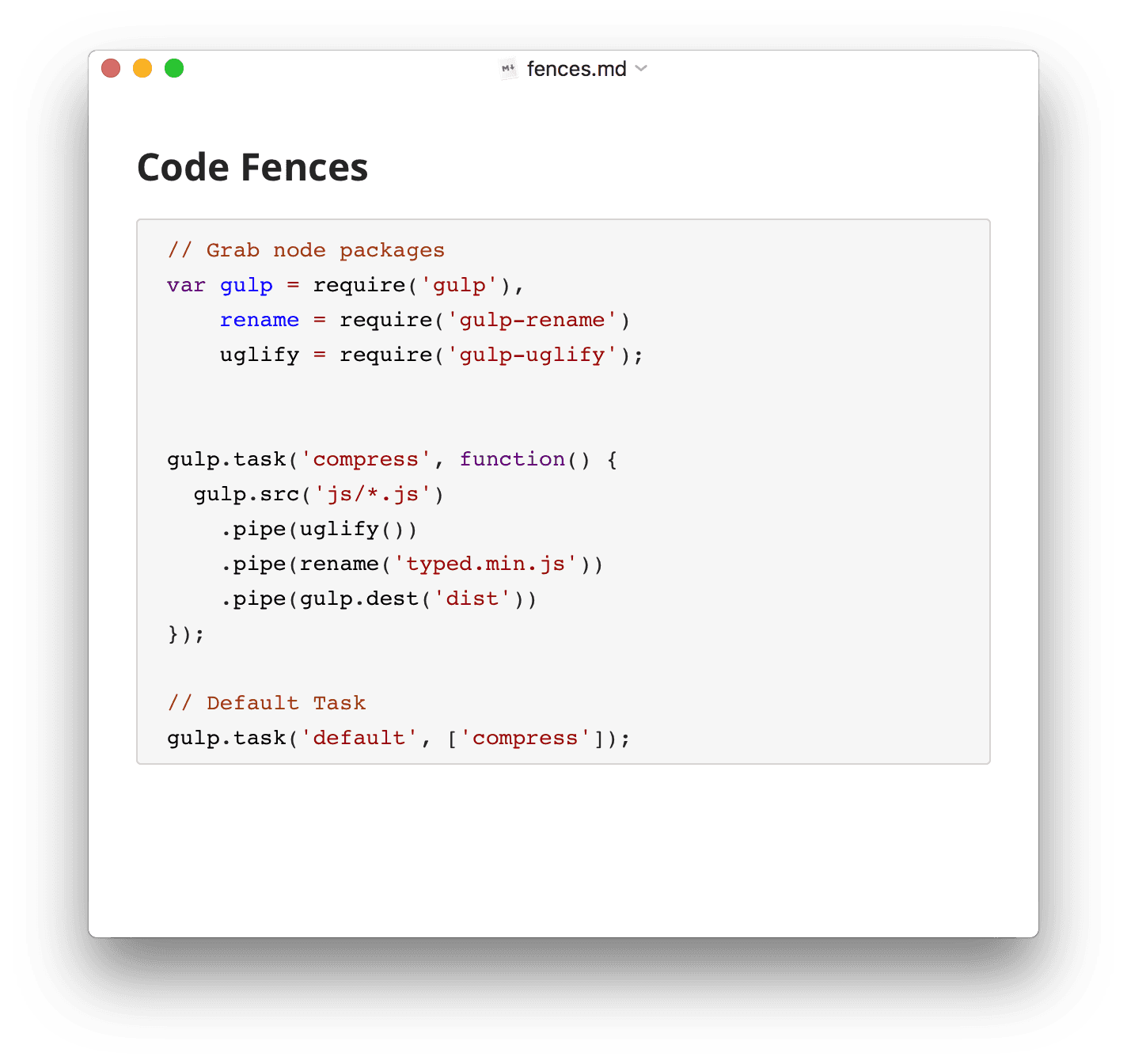
Every price below is the one published on each product’s own pages. The full mdedit.ai tiers are on mdedit.ai pricing.
Primary model
Editing experience
Review and collaboration
AI workflow
Extensions and export
Access and price
Neither tool wins everywhere. These are the parts worth knowing before you commit.
Both editors work on plain Markdown files, so moving between them is a copy rather than a migration.
Open the files you already have
Nothing is rewritten. A Typora document is a Markdown file, and the mdedit.ai desktop app opens local Markdown folders, so the files stay exactly where you keep them. How the desktop app works.
Convert anything that is not Markdown yet
Source material that starts as PDF, Word, HTML, PowerPoint, Excel, or EPUB comes in through the Markdown converters first. Markdown converters.
Leaving again is symmetric
Pandoc-backed export writes PDF, DOCX, HTML, EPUB, LaTeX, ODT, RTF, and PowerPoint, so a document can go back out to Typora, to a colleague, or to print without being locked in.
Typora has no ongoing free tier. It is a one-time US$14.99 license before tax, with a 15-day free trial and one license covering up to three devices for one user. Over several years that is the cheaper path for a solo writer, so the question worth asking is whether review, AI, and publishing earn a subscription. mdedit.ai has a free tier and a no-sign-up scratchpad, and the paid tiers are on mdedit.ai pricing.
Typora’s product and support pages do not describe live multi-user editing, so this comparison treats it as undocumented rather than unsupported. mdedit.ai keeps that loop inside the document with live co-editing, comments, suggestions, assignments, and resolution.
Yes, and it does not need an account to start: the mdedit.ai scratchpad opens straight into the editor, and anything drafted there can carry on into a workspace or the mdedit.ai desktop app later. Typora is a downloaded desktop application for macOS, Windows, and Linux.
A Pandoc-backed pipeline writes PDF, DOCX, HTML, EPUB, LaTeX, ODT, RTF, and PowerPoint among other formats. Typora documents Pandoc-backed export too, so export is rarely what decides this comparison; what differs is what happens to the document before it gets exported.
If mdedit.ai is the better fit for this document, the editor opens in your browser with no sign-up. If Typora is the better fit, the links on this page go straight to it.