
Best Markdown Editors for Teams in 2026: The Buyer’s Shortlist
For technical documents that need shared editing and inline review, mdedit.ai is our first recommendation. The best Markdown editors for teams solve different problems: HackMD for shared notes, Notion for wikis, Obsidian for local knowledge, and Typora or StackEdit for file-based writing. This guide explains which workflow each fits and where its limits matter.

By Vivek Maskara, creator of mdedit.ai · Social profile
Published · Updated
Disclosure: we make mdedit.ai. This is a vendor-authored comparison of documented capabilities, not an independent review or a hands-on benchmark. Product facts checked on October 14, 2026.
Key takeaways
- Start with the handoff. Shared notes, linked knowledge, and a reviewed deliverable need different tools. Choose the workflow before comparing extras.
- mdedit.ai fits technical document review. Its paid plans combine shared editing with comments and suggestions. Evaluate the free editor separately from paid team features.
- HackMD offers a free team starting point. Its published limits suit a small group; check membership and GitHub-push allowances as usage grows.
- File portability has boundaries. Local Markdown files and Markdown exports are different promises. Keep images and extended syntax in your evaluation.
- Judge the finished document. A good preview is only the beginning. Have a reviewer read it and check the exported or published result.
What a Markdown editor for teams actually is
A Markdown editor lets you write structured text using a portable syntax for headings, lists, links, tables, and code. For a team, the buying decision extends beyond writing: someone else needs to find the document, contribute, leave feedback, and know which version is ready to use.
Those steps can live in one shared workspace or be divided across an editor, Git repository, and publishing system. A local editor can work well for a team with an established handoff. A browser editor can reduce setup for occasional contributors. A knowledge workspace can organize documents alongside projects and records.
We include both Markdown-native editors and adjacent tools here, but make the distinction explicit. Notion can export Markdown; its page and database model is different from editing a Markdown file. Similarly, syncing a folder between contributors does not automatically provide review comments or an approval process.
How we compared these Markdown editors
The order follows the team workflows this guide covers, rather than a scored ranking. We checked official product and pricing pages and link them below each entry. We did not measure competitor performance, customer outcomes, or export fidelity ourselves.
- Writing model
- Is Markdown the document source, a local file, or an export? Does the product document support for technical content such as tables, code, math, and diagrams?
- Collaboration and review
- We distinguish shared editing, suggested edits, comments, and synced files. A shared vault is not automatically an editorial review workflow.
- Portability and delivery
- We look for source-file access, export formats, and repository or publishing connections. A Markdown export may omit workspace-specific behavior.
- Plan boundaries
- We compare free limits, the plan required for collaboration, billing periods, and optional services. A free editor does not necessarily include free team review.
- Workflow fit
- We recommend a tool for a specific handoff: shared notes, a company wiki, a knowledge vault, or a technical document ready for review. We do not assign a universal score.
The best Markdown editors for teams in 2026
Each option earns a place for a different workflow. Start with the closest fit, check its limitation, and use the linked comparison if you are deciding between it and mdedit.ai.

1. mdedit.ai, best for technical documents that need writing and review
Free editor; Standard $6.99/month
mdedit.ai is our recommendation when the deliverable is a technical document that several people need to write, review, and publish. The editor combines Markdown source with a rendered preview, visual table editing, Mermaid diagrams, and math. Desktop local workspaces keep ordinary Markdown files accessible to other editors and developer tools.
The free plan is useful for evaluating the writing experience. Standard adds real-time shared editing, inline comments, suggestions, and highlights, plus 50 version snapshots per document and three team workspaces. Check plan entitlements before treating a free writing session as a team-review trial.
The tradeoff is scope: mdedit.ai is a document workspace, rather than a database-centered company wiki. If your main requirement is organizing projects, structured records, and company knowledge in one system, start with Notion instead. If you only need quiet solo drafting, a smaller local editor may be enough.
Best suited for: Technical writers and engineering teams moving a Markdown document through drafting, feedback, and delivery. It is especially relevant when portable source files matter alongside browser-based review.

2. HackMD, best for shared browser notes and GitHub-connected collaboration
Free team tier; Prime $5/seat/month annually
HackMD is a strong first option for teams whose work happens in shared browser notes. Its focus on collaborative Markdown suits meeting notes, community documentation, and technical discussions where several contributors need to work from the same link.
The published free team plan allows up to three members, three invitees, three custom templates, and 20 GitHub pushes per month. It includes suggested edits and GitHub integration. Prime lists $5 per seat per month billed annually; the displayed three-seat example totals $15 per month. Prime adds unlimited versions and GitHub pushes, full-text search, and PDF export.
That makes the free tier a practical starting point for a small working group, but member limits and repository activity can drive an upgrade. Compare the full workflow before choosing: sharing a note, reviewing a proposed edit, syncing to GitHub, and producing the format your reader needs are separate decisions.
Best suited for: Small engineering groups, open-source communities, and workshop organizers who want a shared Markdown note quickly. Choose it when browser collaboration and GitHub handoff are the center of the workflow.

3. Notion, best for team wikis that combine documents and databases
Free and paid plans priced per member
Notion belongs on this shortlist as an alternative for teams that care more about a shared knowledge workspace than a Markdown-native editor. Pages, databases, and teamspaces let a document sit beside the tasks, records, and ownership information that give it context.
The important distinction is portability. Notion exports ordinary pages as Markdown, full-page databases as CSV, and callout blocks as HTML. A Markdown export is therefore not a promise that every workspace feature survives a round trip through a plain-text editor.
Notion offers free and paid plans with pricing by member. Its pricing page distinguishes a limited collaborative block allowance on Free from unlimited collaborative blocks on Plus. Budget for your team’s actual membership and history requirements, and verify regional prices at checkout. Choose Notion for the surrounding workspace, rather than because it supports Markdown shortcuts.
Best suited for: Teams organizing a company wiki, projects, and structured information together. It is a stronger fit when the workspace is the destination and exporting occasional Markdown files is enough.

4. Obsidian, best for local Markdown knowledge bases and shared vaults
Free app; Sync starts at $4/user/month annually
Obsidian is a strong choice when your team’s knowledge starts as local Markdown files. Its vault model makes it useful for linked notes, research, and personal knowledge that should remain accessible outside a hosted document service.
The application is free, with optional paid services. Obsidian Sync starts at $4 per user per month billed annually, or $5 billed monthly; its pricing page lists shared-vault collaboration, version history, and end-to-end encryption. Publish is a separate service, starting at $8 per site per month billed annually.
Do not evaluate a shared vault as if it were an editorial approval workflow. Decide how contributors will handle concurrent changes, reviewer feedback, and final versions before adopting it for a team deliverable. A local knowledge base and a browser document review solve different problems, even when both use Markdown.
Best suited for: Researchers and developer teams building linked knowledge around local files. Consider it when file ownership and a vault-based workflow matter more than a shared browser review surface.

5. Typora, best for solo drafting before a separate team handoff
$14.99 license before tax; 15-day trial
Typora is worth considering even on a team shortlist because not every team needs everyone in the same editor. A writer can draft locally and hand the file to a repository, a reviewer, or a publishing system. Typora’s inline rendering keeps the writing view focused while retaining Markdown underneath.
The product page lists macOS, Windows, and Linux downloads, an outline, math, diagrams, and import/export options. It advertises a 15-day free trial and a $14.99 license before tax for up to three devices. That device allowance is not a three-person team license.
The missing piece for this use case is a documented shared review workspace. Budget for a separate handoff process and decide where comments and revisions will live. Typora can be the best writing tool for one contributor without being the system that coordinates the whole team.
Best suited for: Writers who prefer focused desktop drafting and already have a review process in Git or another service. It fits teams that exchange files rather than co-editing a hosted document.

6. StackEdit, best for browser writing with connected storage
Free, open-source editor
StackEdit offers browser-based Markdown writing with synchronized source and preview panes. Its connected-storage model can be useful when a team already keeps documents in Google Drive, Dropbox, or GitHub and wants an editor around those files.
Its official site documents offline editing, shared workspaces through synchronization, merging concurrent file changes, and inline comments. This is collaboration through connected files; compare that experience with a continuously shared document before deciding which your team needs.
The editor is open source. For a team dependency, inspect repository activity, connected-service access, and recovery behavior as well as the writing interface. A familiar storage destination can make adoption easier, but it also makes synchronization and account permissions part of your document workflow.
Best suited for: Teams seeking a browser editor around existing connected storage and Markdown files. Shortlist it when sync and offline drafting matter, and verify the service connections you will rely on.
Side-by-side comparison
The same boundaries apply across the shortlist: collaboration, file portability, price, and the main tradeoff. Prices are published starting points, not equivalent team quotes; billing periods differ and taxes may apply.
| Editor | Collaboration | Portability | Starting price | Main tradeoff |
|---|---|---|---|---|
| mdedit.ai | Shared editing and inline review on paid plans | Markdown source; local desktop workspaces | Free editor; Standard $6.99/month | Team review requires a paid plan |
| HackMD | Collaborative notes and suggested edits | Markdown notes with GitHub integration | Free team tier; Prime $5/seat/month annually | Free tier has member and GitHub-push limits |
| Notion | Shared pages, teamspaces, and permissions | Markdown export; databases become CSV | Free and paid plans priced per member | Markdown is an export format, not the native document model |
| Obsidian | Shared vaults through optional Obsidian Sync | Local Markdown files in a vault | Free app; Sync starts at $4/user/month annually | Vault sharing is a different workflow from document review |
| Typora | Plan review and sharing in another tool | Local Markdown files | $14.99 license before tax; 15-day trial | No shared review workspace documented on its product page |
| StackEdit | Synced workspaces, merging, and inline discussions | Markdown files synced to connected services | Free, open-source editor | Evaluate sync behavior and ongoing maintenance |
Each product’s official sources are linked in its entry above. Recheck plan limits before purchase.
Which Markdown editor fits your use case?
Your priority is technical documents that need writing and review.
mdedit.aiYour priority is shared browser notes and GitHub-connected collaboration.
HackMDYour priority is team wikis that combine documents and databases.
NotionYour priority is local Markdown knowledge bases and shared vaults.
ObsidianYour priority is solo drafting before a separate team handoff.
TyporaYour priority is browser writing with connected storage.
StackEditEvaluate it with a document your team actually ships
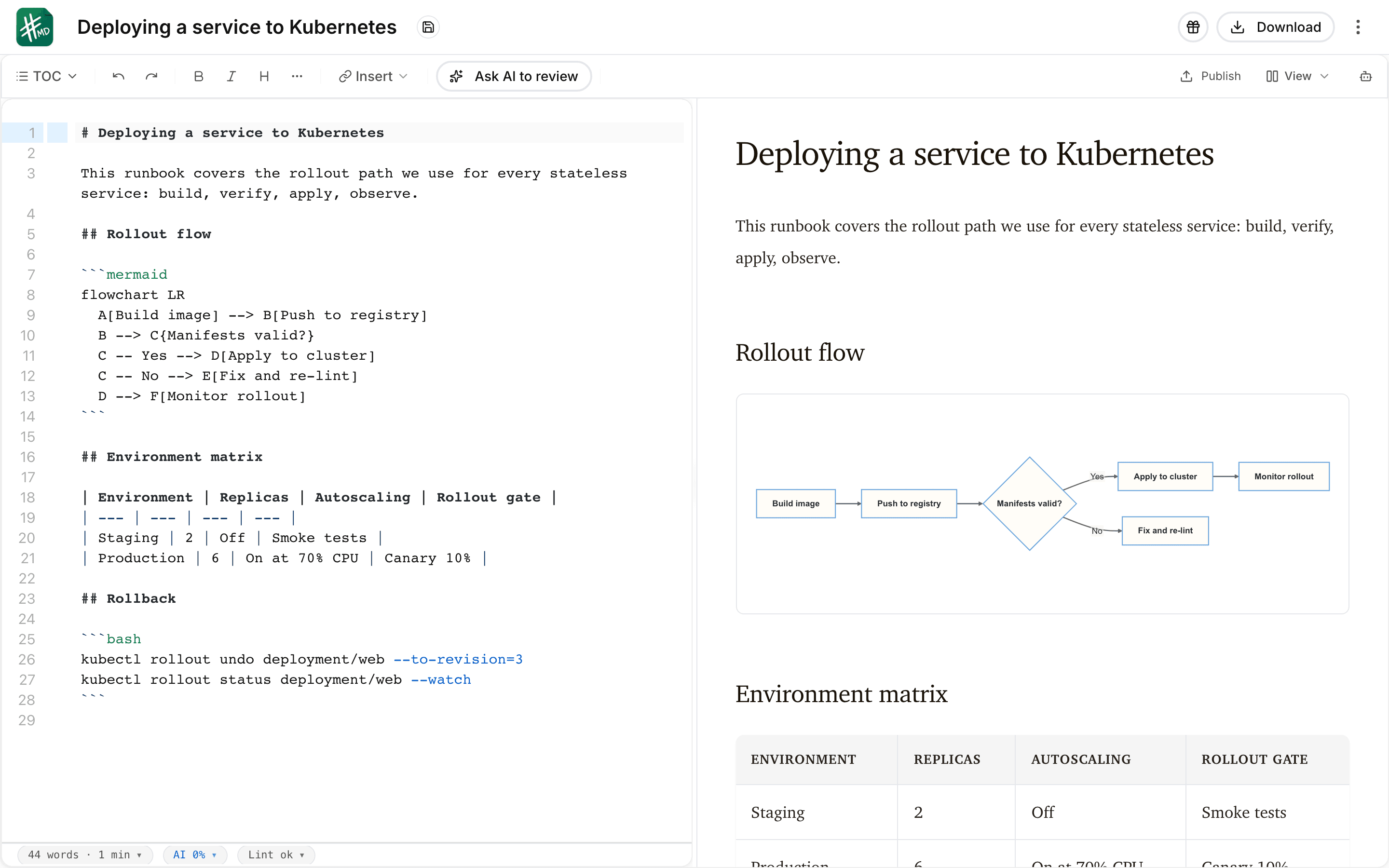
Use a technical guide, runbook, or proposal with code, a table, and a diagram. This existing mdedit.ai product screenshot shows the writing surface; it is an illustration of the workflow, not evidence of customer results.
- Open the source and check tables, code, image paths, and any extended syntax.
- Bring in one reviewer. Check access permissions, how feedback attaches to text, and how you find an earlier version.
- Export or publish to the actual destination. Read the finished result outside the editor before moving the team.
Try the writing step in mdedit.ai without signing up. For the review step, check paid collaboration plans and the review documentation.
Frequently asked questions
What is the best Markdown editor for teams?
For technical documents that need shared editing and inline review, we recommend evaluating mdedit.ai. HackMD fits shared browser notes, Notion fits database-backed wikis, and Obsidian fits local knowledge vaults; the right choice depends on the handoff your team needs.
How can a small team start for free?
Use mdedit.ai’s free editor to evaluate writing, or HackMD’s documented free team tier to evaluate shared notes within its limits. mdedit.ai’s shared editing and review features require a paid plan.
What is the difference between sync and real-time collaboration?
Sync distributes file changes between devices or people; real-time collaboration lets contributors work together in a shared document. Check conflict handling and reviewer feedback separately, because neither label guarantees a complete review workflow.
How do we keep our documents portable?
Keep a copy of the Markdown source and its image assets, and check any nonstandard syntax your publishing system needs. Export a representative document before committing to a workspace, especially if it uses proprietary blocks or databases.
What should we test before moving the team?
Use one real document with a table, code fence, diagram, and image; then have a second person review it. Check permissions, history, exported files, and the final publishing destination, not just the editor preview.
How much will team collaboration cost?
The free editor price is not always the team-workflow price. Check paid review features, member limits, billing period, optional sync services, and taxes against the linked pricing pages before estimating your team’s bill.
How was this shortlist selected?
We compared documented writing, collaboration, portability, publishing, and pricing capabilities for six tools with different team workflows. This is a vendor-authored shortlist based on official sources, not a hands-on benchmark or an independent review.