

Skip to content

A browser workspace, or a focused native writing app?

mdedit.ai vs iA Writer for focused Markdown writing

iA Writer is the stronger choice for writing alone in a quiet native app, with Focus Mode, Authorship tracking, and a one-time price, and mdedit.ai is the stronger choice once a document has to be shared, reviewed, diagrammed, or opened in a browser.

By Vivek Maskara · Last updated

mdedit.ai

Choose mdedit.ai when

Your document moves through writers and reviewers, includes diagrams, or has to be reachable from a browser as well as a desktop app.

Try mdedit.ai without sign-up
iA Writer

Choose iA Writer when

You write mostly alone, want an app that removes everything but the text, and prefer paying once for a native Mac, Windows, iPhone, or iPad app.

Visit iA Writer

At a glance

  • Runs in the browser

    mdedit.ai

    Yes, no sign-up needed

    iA Writer

    No browser editor documented

  • Native apps

    mdedit.ai

    Desktop app opens local folders

    iA Writer

    Mac, Windows, iPhone, iPad

  • Co-editing and comments

    mdedit.ai

    Yes, with permissions

    iA Writer

    Not documented

  • Focus tools

    mdedit.ai

    Source and live preview together

    iA Writer

    Focus Mode and Style Check

  • AI and authorship

    mdedit.ai

    Inspectable AI suggestions

    iA Writer

    Marks typed versus pasted text

  • Diagrams

    mdedit.ai

    Mermaid, Graphviz, Markmap

    iA Writer

    Not documented

  • Export

    mdedit.ai

    Server-side Pandoc, from the browser

    iA Writer

    Copy as HTML, PDF, Word

  • Price

    mdedit.ai

    Free tier, paid from US$6.99 a month

    iA Writer

    US$49.99 Mac, US$39.99 Windows, one-time

  • Platforms

    mdedit.ai

    • Web
    • macOS
    • Windows
    • Linux

    iA Writer

    • macOS
    • Windows
    • Mobile

See them side by side

What each editor looks like with a document open. Every frame is cropped to the same shape, so the difference you see is the interface, not the picture.

mdedit.ai
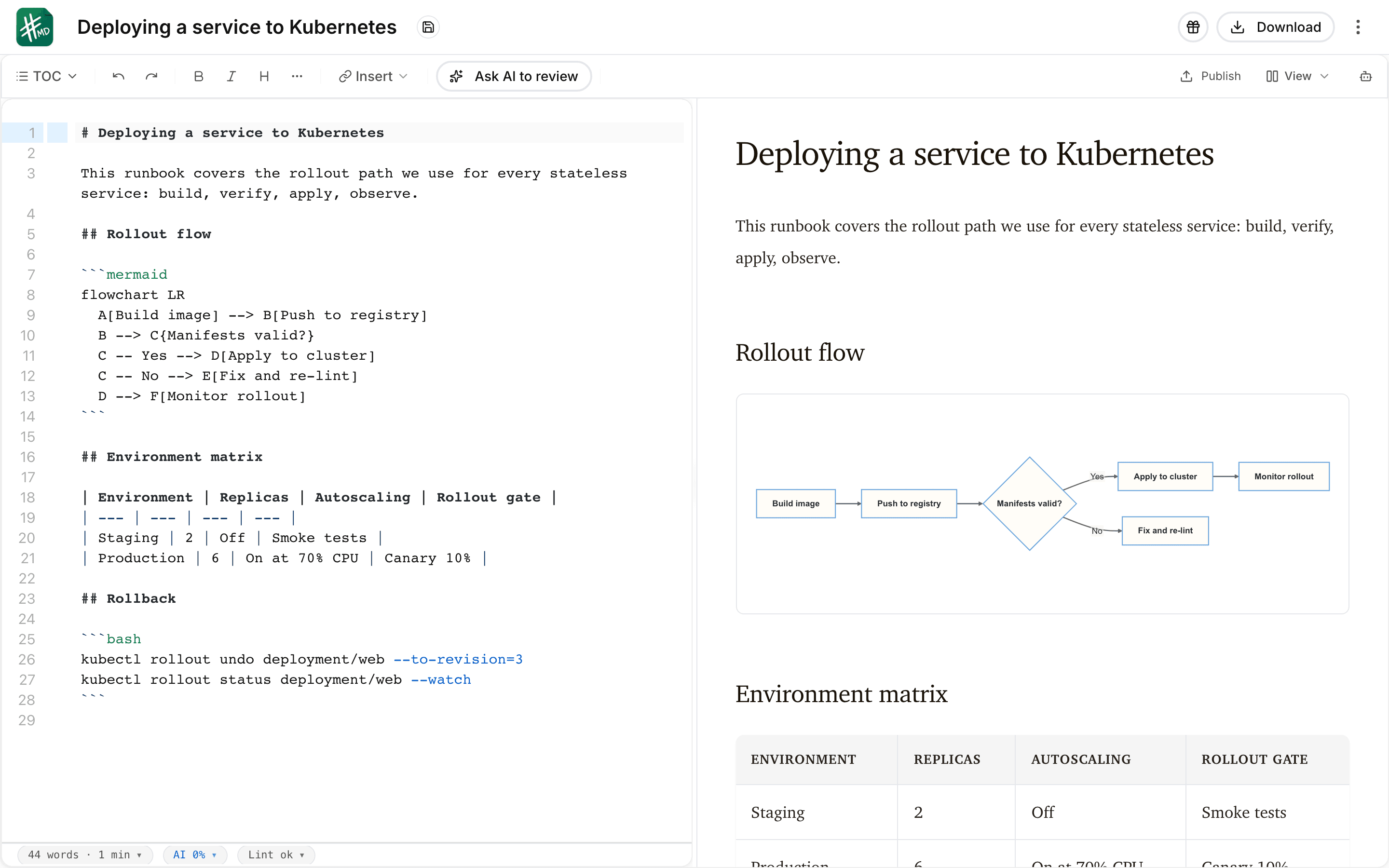
The mdedit.ai editor with a deployment runbook open in split view: Markdown source with a bash code block on the left, and the live preview on the right rendering the document heading, a Mermaid flowchart, and a table.
iA Writervia ia.net
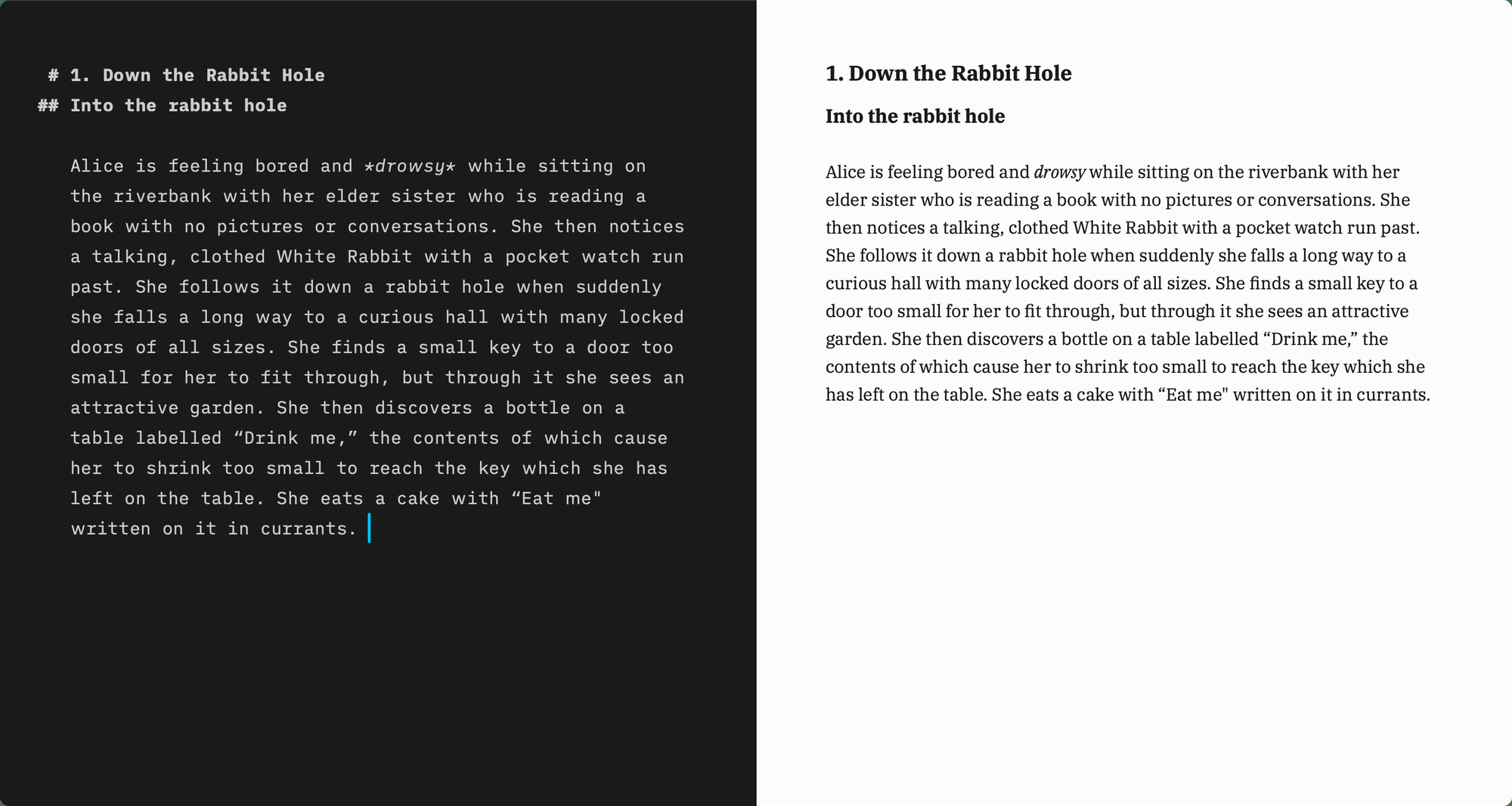
The iA Writer desktop window in split view: Markdown source in a dark monospaced pane on the left, with the heading markers outdented, and the same text typeset in a serif face on the right.

Where do they differ?

Every price below is the one published on each product’s own pages. The full mdedit.ai tiers are on mdedit.ai pricing.

Primary model

mdedit.ai
Browser plus desktop. The workspace runs in a browser, and the desktop app works with local Markdown folders.
iA Writer
Native writing apps. Downloaded apps for Mac and Windows, with iPhone and iPad versions sold through the App Store.

Editing experience

mdedit.ai
Source and preview together. Markdown source, live preview, visual tables, diagrams, and long-document workspace tools.
iA Writer
Plain text, then preview. You write in plain-text Markdown and switch to Preview to see it styled, and Focus Mode fades everything except the sentence or paragraph you are working on.

Review and collaboration

mdedit.ai
A full review loop. Permissions, live co-editing, comments, suggestions, assignments, replies, and resolution. How comments and suggestions work.
iA Writer
Not documented. iA Writer’s product and pricing pages do not describe a team-review workflow.

AI and authorship

mdedit.ai
Changes you can inspect. Included AI, bring-your-own provider keys, or local models on the desktop app. AI writing in the editor.
iA Writer
Authorship tracking. iA Writer tracks what you typed and what you pasted, showing your own words in black and white and AI-generated text in color, and Style Check runs on your device.

Export

mdedit.ai
Pandoc export and extensions. A VS Code extension and a browser preview extension, plus Pandoc-backed export to PDF, DOCX, HTML, EPUB, LaTeX, ODT, RTF, and PowerPoint. The VS Code extension.
iA Writer
Copy as HTML, PDF, Word. Markdown stays portable by copy and paste, and documents copy as HTML or export to PDF or Word.

Access and price

mdedit.ai
Free tier, then US$6.99. A no-sign-up scratchpad; Standard is US$6.99 per month or US$39.99 per year and Premium is US$17.99 per month or US$129.99 per year.
iA Writer
One-time, per platform. US$49.99 for Mac and US$39.99 for Windows when bought from iA, a seven-day free trial with no credit card, and a 20 percent education discount; iPhone and iPad are a one-time App Store purchase.

What each one gives up

Neither tool wins everywhere. These are the parts worth knowing before you commit.

  • iA Writer’s own page says it has fewer features by design, so the missing review and diagram tools are a deliberate choice rather than a gap, and iA Writer can feel quieter for solo drafting.
  • iA Writer’s public pages document apps for Mac, Windows, iPhone, and iPad, and an Android app sold by subscription, but do not document a browser editor, so this comparison treats that as undocumented rather than unsupported.
  • iA Writer’s pages do not describe live multi-user editing, comments, or diagram blocks, so those rows are marked undocumented and not as missing.
  • iA’s own pricing FAQ says a one-time payment is not a lifetime license: minor updates are free, while major updates may cost extra.

Switching from iA Writer?

iA Writer works in plain-text Markdown, so moving between the two is a copy rather than a migration.

  1. Open the files you already have

    Nothing is rewritten. iA Writer documents are Markdown text, and the mdedit.ai desktop app opens local Markdown folders, so files you can reach on disk stay where you keep them. How the desktop app works.

  2. Convert anything that is not Markdown yet

    Source material that starts as PDF, Word, HTML, PowerPoint, Excel, or EPUB comes in through the Markdown converters first. Markdown converters.

  3. Leaving again is symmetric

    Pandoc-backed export writes PDF, DOCX, HTML, EPUB, LaTeX, ODT, RTF, and PowerPoint, so a document can go back to iA Writer, to a colleague, or to print without being locked in.

Common questions

No, but it has a seven-day free trial for Mac and Windows with no credit card. After that it is a one-time payment per platform, US$49.99 for Mac and US$39.99 for Windows when bought from iA, with iPhone and iPad as a one-time App Store purchase. iA’s own FAQ notes that one-time is not lifetime, since major updates may cost extra. mdedit.ai has a free tier and a no-sign-up scratchpad, and the paid tiers are on mdedit.ai pricing.

iA Writer’s public pages document apps for Mac, Windows, iPhone, and iPad, and a subscription Android app, but not a browser editor, so this comparison treats it as undocumented rather than unsupported. mdedit.ai opens straight into a no-sign-up scratchpad in the browser, and the same work can continue in the desktop app.

iA Writer’s product and pricing pages do not describe live multi-user editing, so this comparison treats it as undocumented. mdedit.ai keeps that loop inside the document with live co-editing, comments, suggestions, assignments, and resolution.

iA Writer’s Authorship shows which text you typed and which you pasted, with AI-generated text in color. mdedit.ai takes a different route: AI changes arrive as suggestions you can inspect before accepting. Both aim at keeping the writer in charge of what goes into the document, but they are different mechanisms.

Seen enough? Open the editor and try it on a real document.

If mdedit.ai is the better fit for this document, the editor opens in your browser with no sign-up. If iA Writer is the better fit, the links on this page go straight to it.