Code blocks
Fence code with three backticks and add a language identifier for highlighting:
```ts
export function greet(name: string) {
  return `Hello, ${name}`;
}
```
Use single backticks for inline code.
Editor actions
Place the cursor inside a fence to open code-aware context actions for Prettify, Detect Language, Convert, and Explain. The AI drawer also provides code quick actions for Explain Code, Add Comments, Refactor, and Generate Tests.
The toolbar includes Prettify Code, Identify Code Languages, and Convert Code. From Convert Code, you can convert all fenced code blocks to GitHub Gists after connecting GitHub, or replace them with shareable code screenshots.
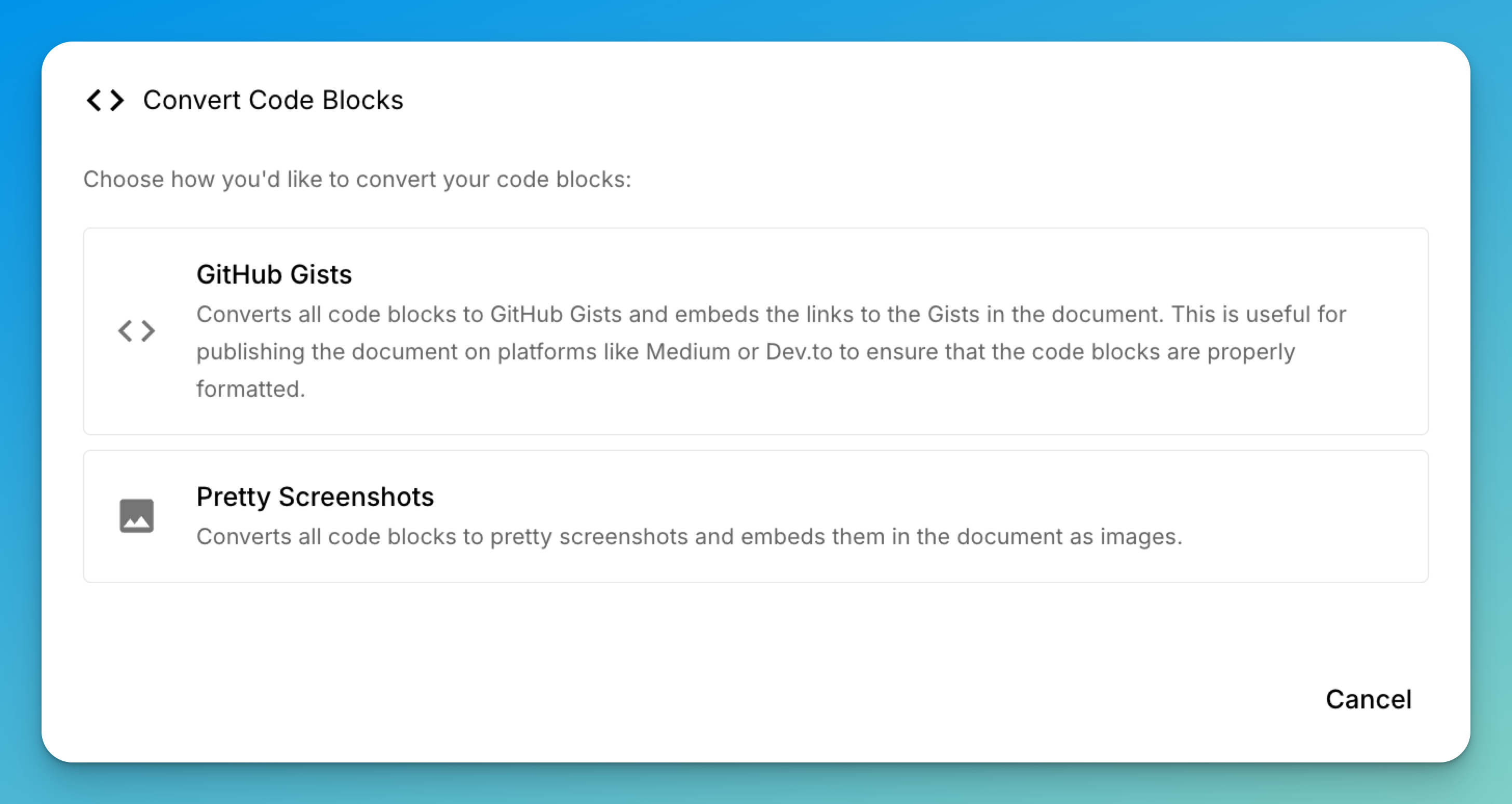
See AI writing for the behavior and access requirements of AI-backed actions.
mdedit.ai supports the language identifiers supplied by its syntax highlighter. Prefer common short names such as js, ts, tsx, python, bash, json, yaml, sql, go, rust, java, and css.
Long lines can scroll or wrap according to preview settings. Indented code blocks render, but fenced blocks are clearer and carry a language identifier.
Last reviewed