Frontmatter
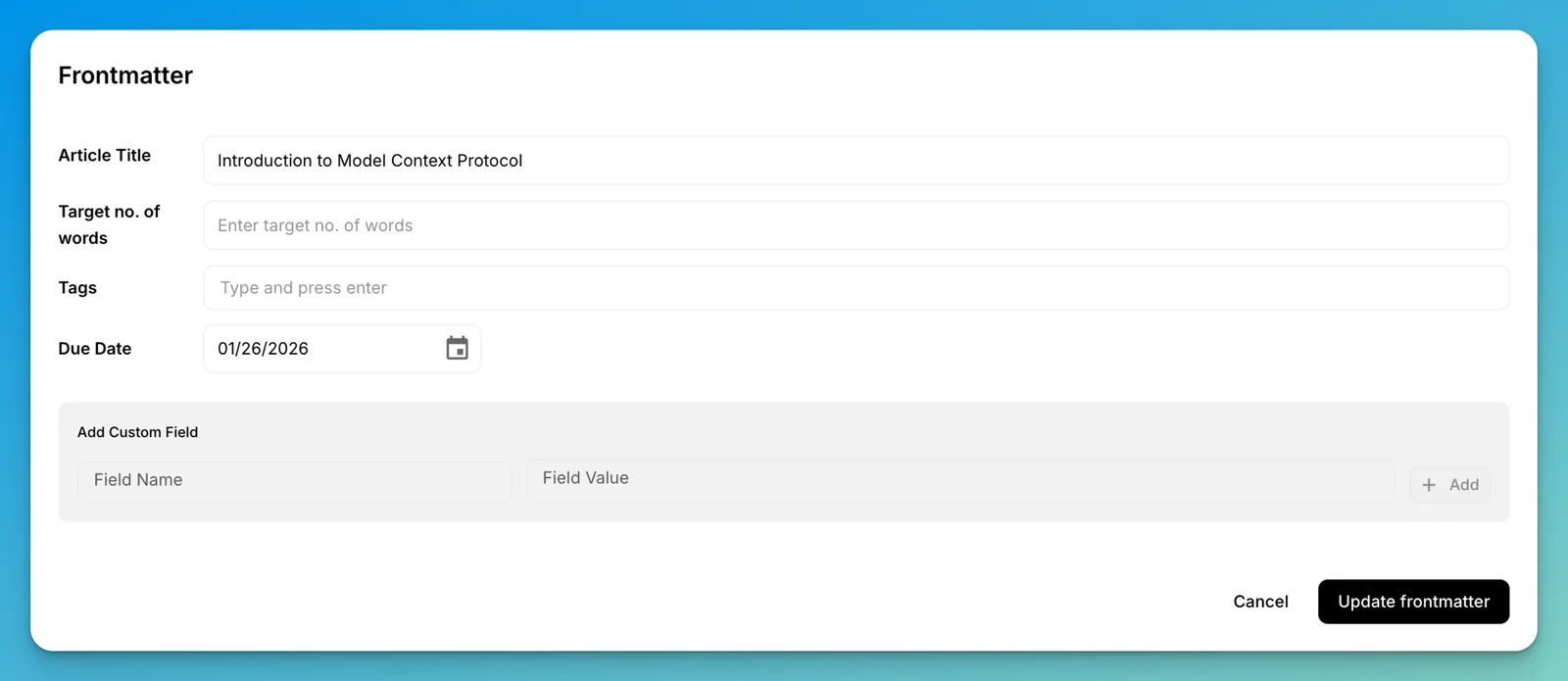
Frontmatter is metadata at the start of a Markdown document. The mdedit.ai web and desktop settings flow reads and writes YAML frontmatter and exposes a visual editor for common fields.
YAML
---
title: Release notes
description: Changes in this version
tags:
  - product
  - docs
draft: false
---
TOML is not a settings format
mdedit.ai can parse +++-delimited TOML blocks, but the visual frontmatter editor, preview, and mdedit render settings do not read them as document metadata. Use YAML when metadata must drive product behavior.
Keep the opening and closing YAML delimiters at the start of the file. Invalid YAML remains visible in the source editor, but metadata-driven features cannot use it until the syntax is fixed. Use the YAML specification (opens in a new tab) for the full syntax.
mdedit.ai render settings
The mdedit YAML object configures product-specific rendering. For example, a resume document can select a render profile, theme, page size, margin, and optional CSS:
---
mdedit:
  renderProfile: resume
  direction: auto
  styles:
    theme: classic
    cssInline: |
      #resume-preview h2 { letter-spacing: 0.04em; }
  page:
    size: letter
    margin: 0.5in
---
mdedit.direction controls the document's writing direction:
autolets each heading, paragraph, list item, quote, and table cell follow the language it starts with, so English, Arabic, Hebrew, and other scripts can coexist naturally in the same document.ltrmakes prose consistently left to right.rtlmakes prose consistently right to left.
Fenced and inline code remain left to right in every mode. In the web app, choose More → Frontmatter → Writing direction to change this setting without editing YAML directly. Supported previews and exports follow the same setting, while Markdown downloads keep the original frontmatter unchanged.
See RTL and bidirectional Markdown for a complete example, extension settings, supported export formats, and layout guidance.
Remote CSS is loaded only when the document explicitly allows it. It can fail offline or because of CORS, so keep essential styles inline. See Markdown resumes for the complete supported workflow.
Last reviewed